Customer & PartnerPortal Systems
A controlled window onto your operations for the people outside your organisation — clients, partners, suppliers, contractors — who need to submit something, send something, or find out where it has got to.
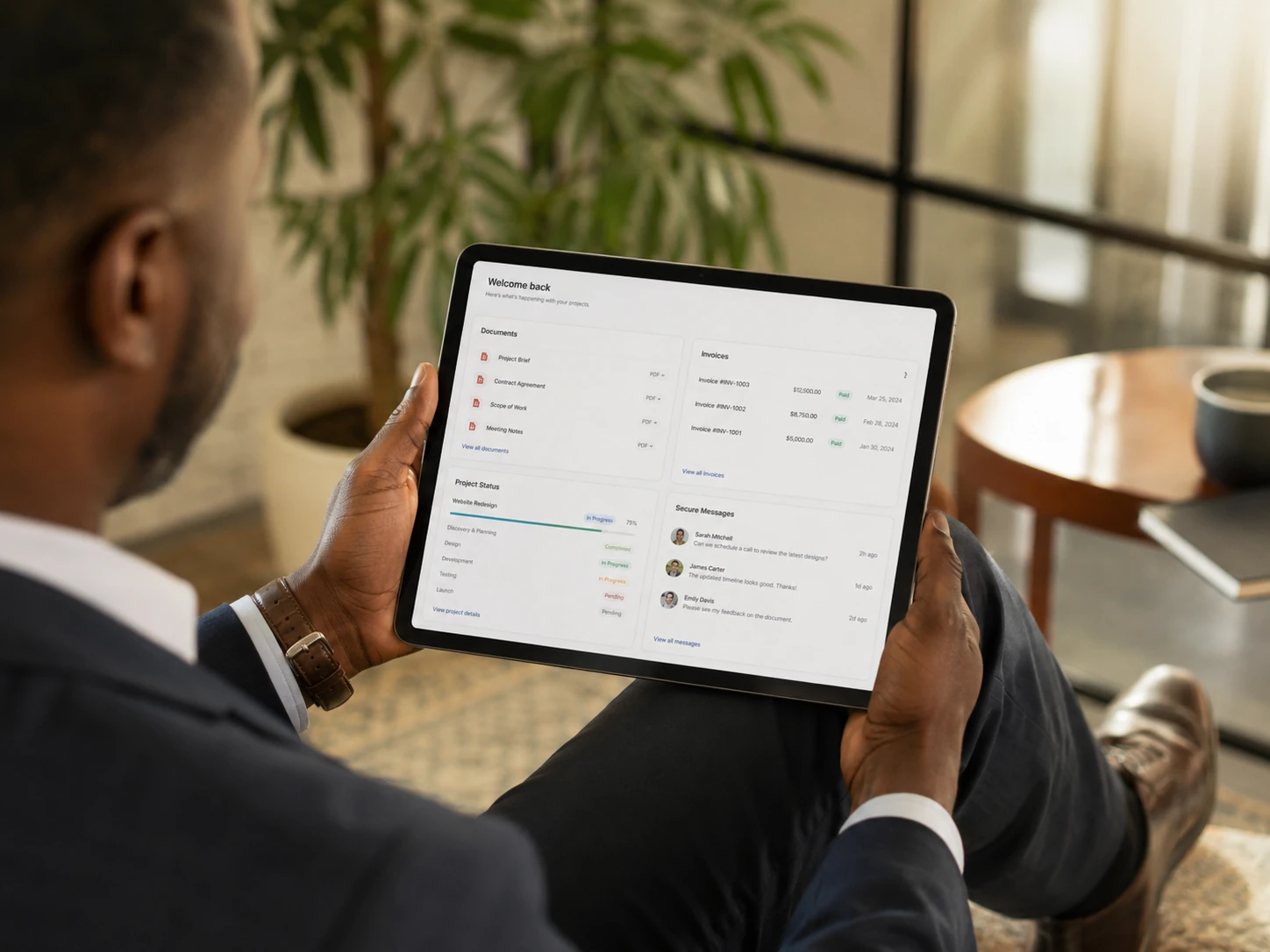
“Where has my request got to?” is a question your organisation should not have to answer by hand.
Not a login page. A boundary with rules.
A portal is the point at which your internal records become partially visible to someone outside the business. The engineering challenge is not the sign-in form — it is deciding precisely what each external party may see, do and change, and enforcing that reliably.
Done properly, a portal removes a recurring administrative load: the status telephone calls, the “can you resend that document” emails, the chasing of missing information. It also improves how the organisation is perceived, because progress becomes visible rather than requested.
Portals are frequently built onto an operations or case management system, but they can also sit in front of systems you already run.
The costs a portal is built to remove.
- 01Status enquiries consume real hoursEvery telephone call asking for an update is a task interruption. At volume this is a measurable fraction of a person's week, spent on information that already exists.
- 02Documents travel by email and get lostAttachments sit in individual mailboxes, versions diverge, and nobody is certain which copy is current. A portal gives one place with version history.
- 03Requests arrive incompleteFree-text emails omit the information you need, triggering a round trip before work can even start. Structured submission collects what is required first time.
- 04Sensitive material is sent insecurelyPersonal data and commercially sensitive documents routinely travel as unencrypted attachments because it is the path of least resistance. A portal makes the secure route the easy route.
- 05Partners and suppliers have no defined channelContractors submitting certificates, suppliers sending delivery documentation, partners requesting information — each ends up in an overloaded shared mailbox.
- 06There is no record of what was communicatedWhen a dispute arises, “we told them on the fourteenth” needs evidence. A recorded thread against the case provides it.
One boundary, enforced in both directions.
Everything above the line is external. Everything below it is internal. The portal is the only crossing point, and every crossing is recorded.
Components of a portal build.
Scope is agreed in writing before work begins; the quotation lists precisely which of these are included.
Typical portal applications.
Five stages, with the boundary defined first.
The permission model is agreed before anything is built. It is far cheaper to change a diagram than to change an access rule that has been in production for six months.
- Stage 01Audience and permission mappingWho the external users are, what each group may see and do, and where the boundary sits. Output: a written access model.
- Stage 02Journey designThe specific tasks each audience performs, designed as short, unambiguous flows. External users get no training, so nothing may require explanation.
- Stage 03Build and internal reviewThe portal built alongside the internal side, so that a submission creates real work in the operational record rather than an isolated entry.
- Stage 04Access and security testingDeliberate attempts to reach records outside permission, on every route. This stage is not optional in any portal we deliver.
- Stage 05Pilot, launch and handoverA small group of real external users first, then wider release, with administrator documentation and a defined support window.
What you hold at the end.
- A deployed, secured portal with your branding applied
- Written access and permission model
- Administrator tools for managing external accounts
- Access testing record showing what was verified
- Guidance material you can send to external users
- Administrator documentation and a support window
And who it is not for.
A good fit
- Organisations fielding regular status enquiries from clients
- Businesses exchanging documents with external parties repeatedly
- Anyone receiving incomplete requests that need chasing
- Supplier or contractor networks with recurring paperwork obligations
- Organisations handling sensitive material that should not travel by email
- Teams that already have, or are building, an internal operational system
Probably not a fit
- Public-facing marketing sites with no authenticated area
- Consumer e-commerce, where established platforms serve better
- Organisations with only occasional, ad-hoc external interaction
- Cases where no internal record exists for the portal to reflect
Often taken alongside this one.
Frequently asked.
Usually, provided the existing system offers a documented interface for reading and writing data. Where it does not, options include a scheduled synchronisation or holding the portal's own records and reconciling them. We assess this early, because it materially affects cost.
If your current system has no practical integration route at all, that is a finding worth knowing in its own right — and one an IT systems review would surface.
Access is enforced at the record level on the server, not by hiding links in the interface. Every request for a record is checked against the signed-in user's permissions before any data is returned, including for direct links, file downloads and any programmatic access.
Stage four of the engagement is dedicated to testing exactly this, by deliberately attempting to reach records the account should not be able to see.
They use it when it is faster than emailing you. That means very short journeys, no unnecessary account setup friction, and notifications that bring people back at the right moment. Portals fail through complexity far more often than through reluctance.
We also recommend keeping the email route open initially rather than forcing adoption. Usage generally moves on its own once the portal is visibly quicker.
Yes. Portals are normally deployed on a subdomain of your own domain and styled to match your existing identity, so that the transition from your website feels continuous rather than like arriving at a third-party product.
We build with data protection in mind — access control, transport encryption, access logging, deletion routes and retention settings. Your organisation remains the controller for the personal data held, and is responsible for its own obligations under UK data protection law.
We are not a law firm and do not provide legal advice. We will, however, tell you plainly what the system does with personal data so that your own assessment can be accurate.
Yes. A common arrangement is a client organisation with several users: a primary contact who sees everything, a finance user who sees documents and invoices, and site-level users who see only their own location. That structure is defined during stage one and enforced from the start.